Object Detection with YOLOv5
This tutorial will go through a concrete example of how to train a YOLOv5 object detection model via our AI training platform. The coco128 dataset is provided.
# Prerequisites
First of all, we have to install the libraries. Python>=3.8 is required. For other libraries, you can check the `requirements.txt` file. Installing these packages is simple. You can install them by running:
```bash
$ pip install -U pip
$ pip install -r requirements.txt
```
# Dataset & Preparation
Next, we need a dataset for the training model. For this tutorial, we use COCO128 dataset.
## Annotations Format
After using a tool like [CVAT](https://github.com/openvinotoolkit/cvat), [makesense.ai](https://www.makesense.ai) or [Labelbox](https://labelbox.com) to label your images, export your labels to YOLO format, with one `*.txt` file per image (if no objects in image, no `*.txt` file is required). The `*.txt` file specifications are:
- One row per object
- Each row is `class x_center y_center width height` format.
- Box coordinates must be in normalized xywh format (from 0 - 1). If your boxes are in pixels, divide `x_center` and `width` by image `width`, and `y_center` and `height` by image height.
- Class numbers are zero-indexed (start from 0).
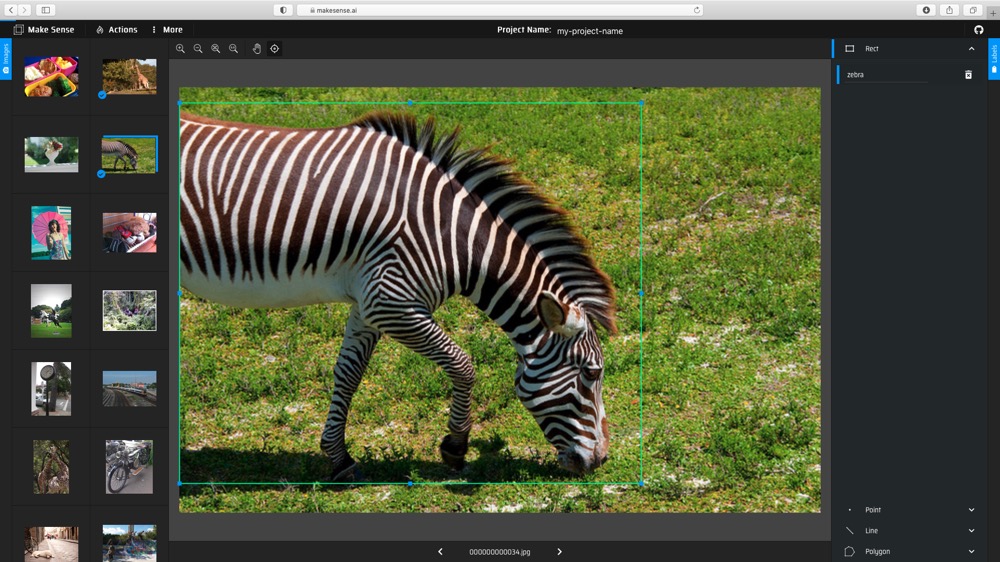
Here, let's go through a toy example for preparing the annotation files via [makesense.ai](https://www.makesense.ai).
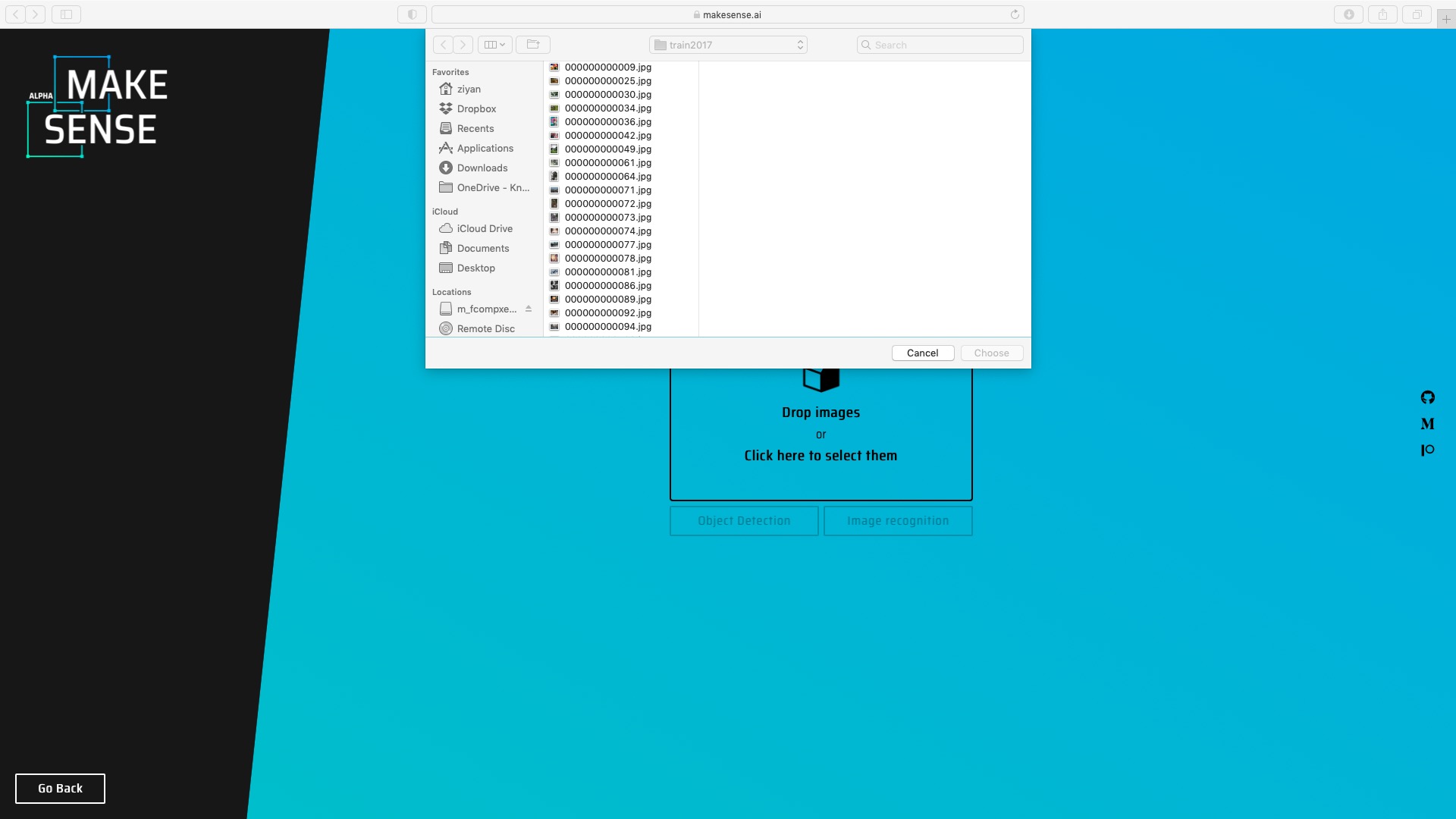
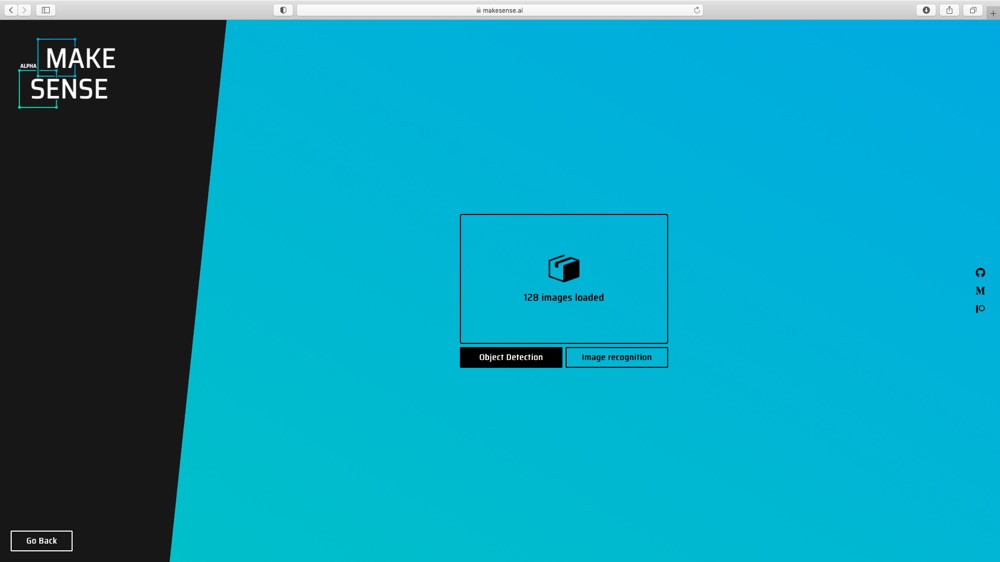
(1) Upload images to [makesense.ai](https://www.makesense.ai) and select Object Detection option.
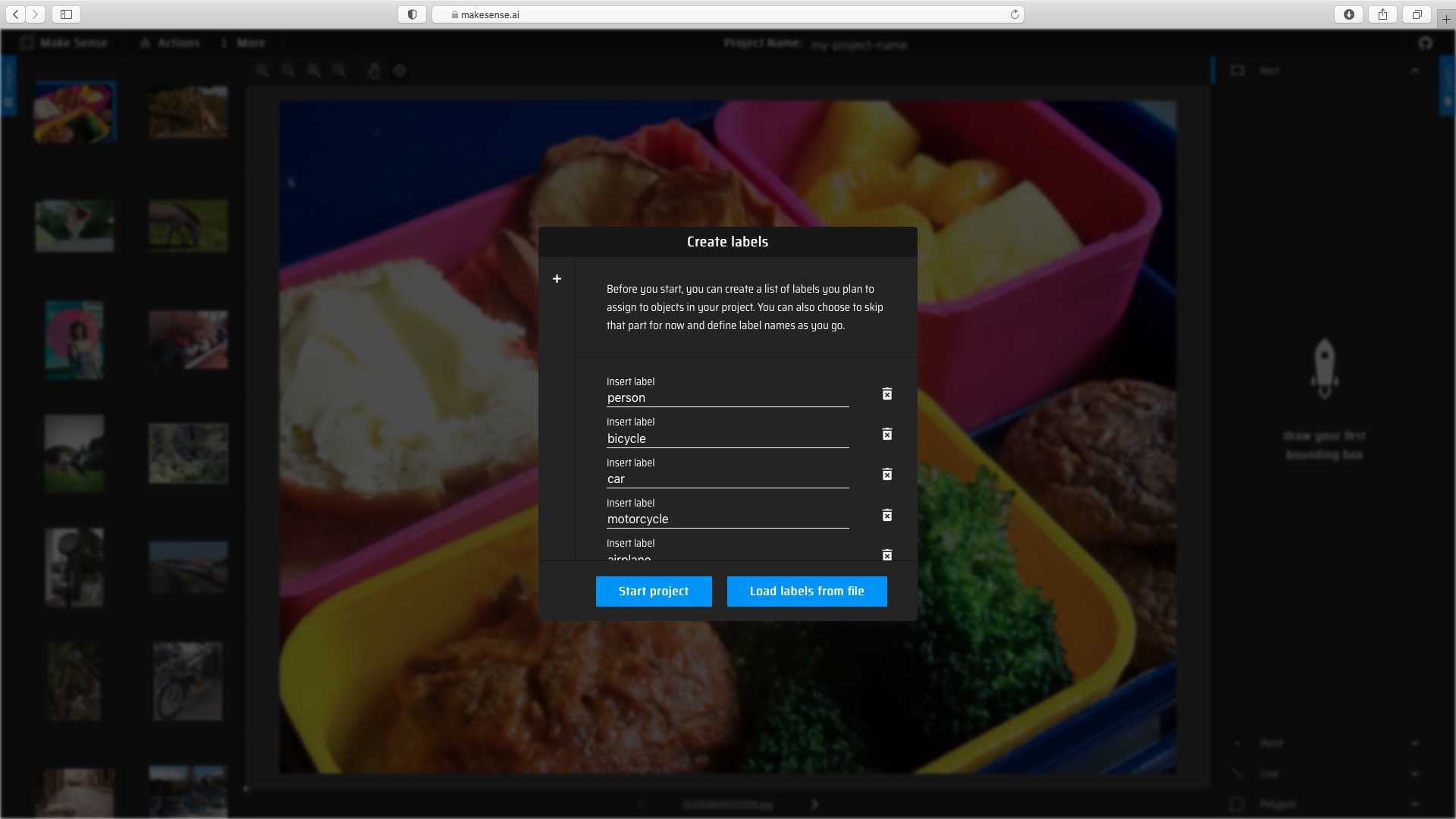
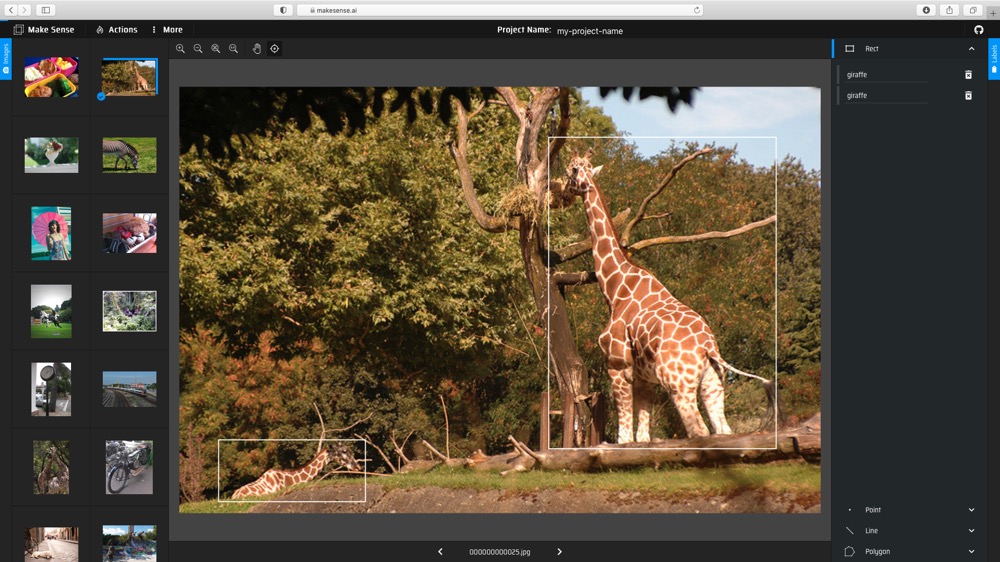
(2) Create labels, and then draw the bounding boxes and choose labels for each image.
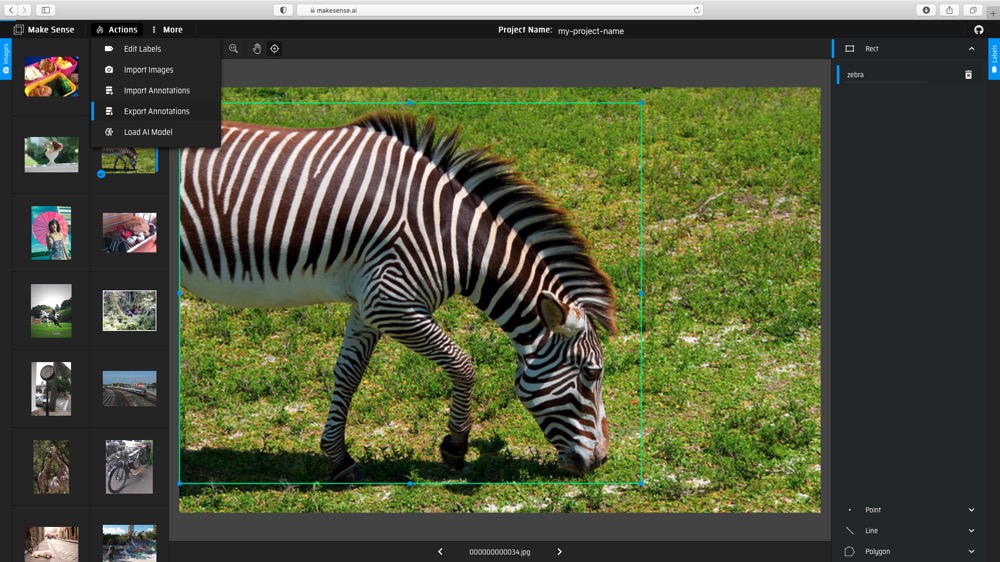
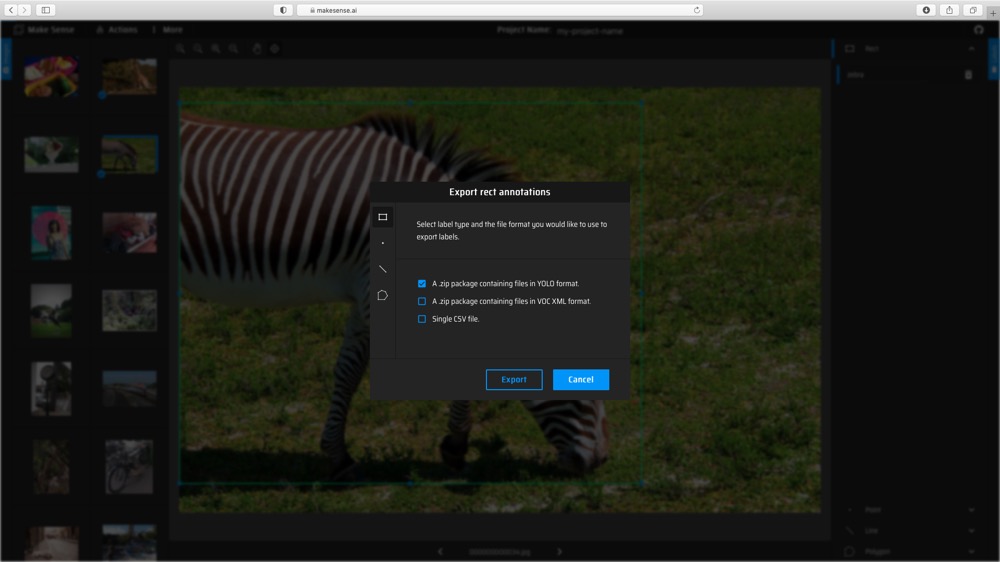
(3) Export the annotations with YOLO format.
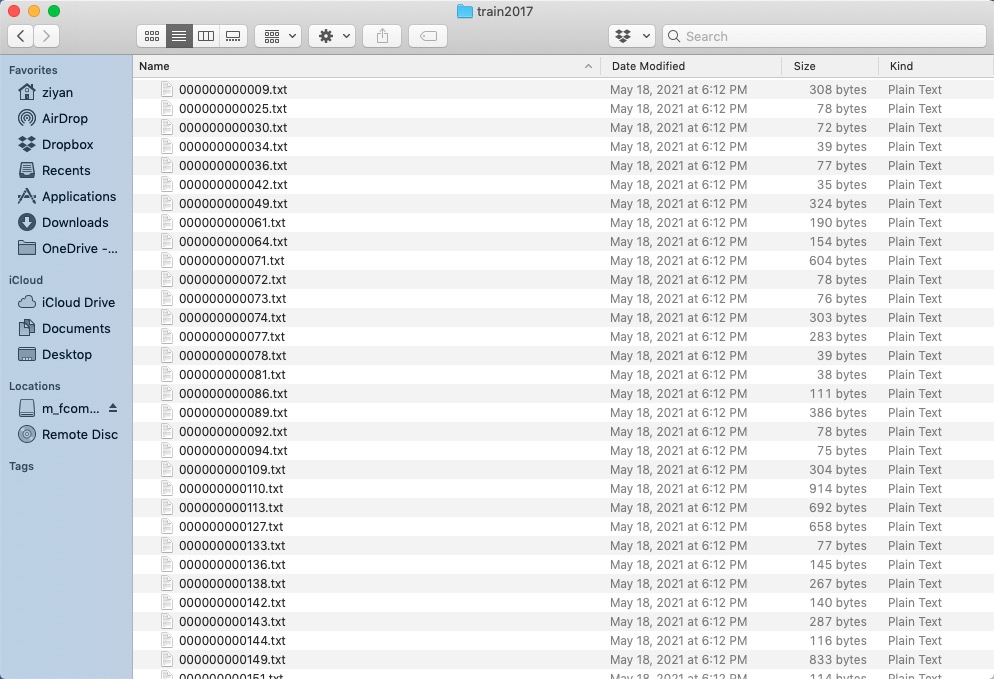
(4) Eventually, you should get `*.txt` file for each image. (if no objects in image, no `*.txt` file is created)
## Directory Organization
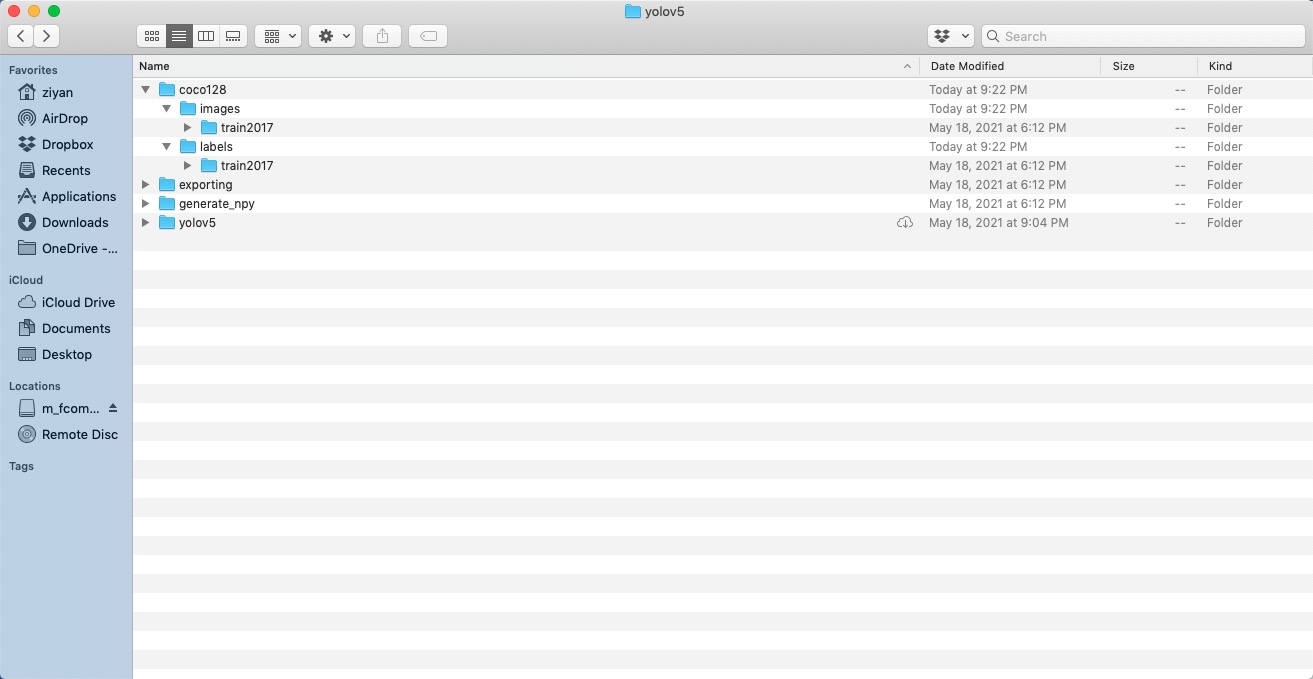
Your own datasets are expected to have the following structure. We assume `/coco128` is next to the `/yolov5` directory. YOLOv5 locates labels automatically for each image by replacing the last instance of `/images/` in each image path with `/labels/`.
## dataset.yaml
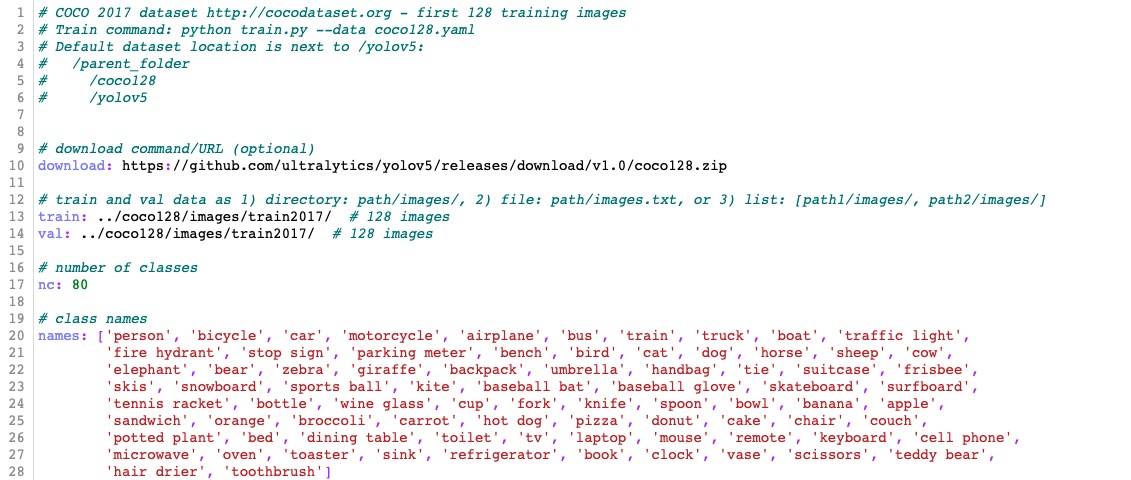
The yaml file for COCO dataset has been prepared in `./data/coco.yaml`. For custom dataset, you need to prepare the yaml file and save it under `./data/`. The yaml file is expected to have the following format:
# Train
Let's look at how to train or finetune a model. There are several options and arguments to choose. We provided two types of backbone models, one for 520 (without upsampling) and one for 720 (with upsampling).
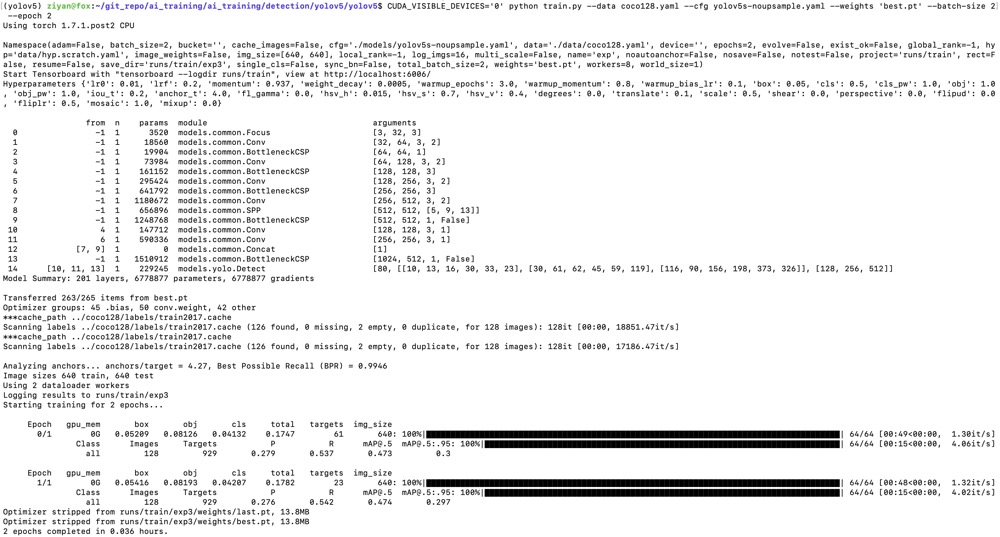
For training on custom dataset, let's use the COCO 128 dataset. Following the instructions in the dataset preparation section, we put the data folder `/coco128` next to the `/yolov5` directory and prepare `coco128.yaml` saved under the folder `/yolov5/data/`. We download the pretrained model from [Model_Zoo](https://github.com/kneron/Model_Zoo/tree/main/detection/yolov5/yolov5s-noupsample). Suppose we would like to finetune a pretrained model for 520 and just run 2 epochs. Execute commands in the folder `yolov5`:
```shell
!wget https://raw.githubusercontent.com/kneron/Model_Zoo/main/detection/yolov5/yolov5s-noupsample/best.pt
```
```shell
CUDA_VISIBLE_DEVICES='0' python train.py --data coco128.yaml --cfg yolov5s-noupsample.yaml --weights 'best.pt' --batch-size 2 --epoch 2
```
We get the trained model weights in `./runs/train/exp/weights/best.pt`.
Note that video uses input (640w x 352h) to run faster. Coco has high or flat wide images, so it is better to use input (640w x 640h)
## Generating .npy for different model input
We can generating `.npy` for different model input by using `yolov5_generate_npy.py`. Execute commands in the folder `generate_npy`:
```shell
python yolov5_generate_npy.py
```
We could get `*.npy`.
# Configure the paths yaml file
You are expected to create a yaml file which stores all the paths related to the trained models. You can check and modify the `pretrained_paths_520.yaml` and `pretrained_paths_720.yaml` under `/yolov5/data/`. Here is the config for our model trained on COCO128 `model_paths_520_coco128.yaml`:
```bash
grid_dir: ../generate_npy/
grid20_path: ../generate_npy/20_640x640.npy
grid40_path: ../generate_npy/40_640x640.npy
grid80_path: ../generate_npy/80_640x640.npy
yolov5_dir: ./
path: ./runs/train/exp/weights/best.pt
yaml_path: ./models/yolov5s-noupsample.yaml
pt_path: ./yolov5s-noupsample-coco128.pt # pytorch 1.4
onnx_export_file: ./yolov5s-noupsample-coco128.onnx
input_w: 640
input_h: 640
# number of classes
nc: 80
# class names
names: ['person', 'bicycle', 'car', 'motorcycle', 'airplane', 'bus', 'train', 'truck', 'boat', 'traffic light',
'fire hydrant', 'stop sign', 'parking meter', 'bench', 'bird', 'cat', 'dog', 'horse', 'sheep', 'cow',
'elephant', 'bear', 'zebra', 'giraffe', 'backpack', 'umbrella', 'handbag', 'tie', 'suitcase', 'frisbee',
'skis', 'snowboard', 'sports ball', 'kite', 'baseball bat', 'baseball glove', 'skateboard', 'surfboard',
'tennis racket', 'bottle', 'wine glass', 'cup', 'fork', 'knife', 'spoon', 'bowl', 'banana', 'apple',
'sandwich', 'orange', 'broccoli', 'carrot', 'hot dog', 'pizza', 'donut', 'cake', 'chair', 'couch',
'potted plant', 'bed', 'dining table', 'toilet', 'tv', 'laptop', 'mouse', 'remote', 'keyboard', 'cell phone',
'microwave', 'oven', 'toaster', 'sink', 'refrigerator', 'book', 'clock', 'vase', 'scissors', 'teddy bear',
'hair drier', 'toothbrush']
```
# Save and Convert to ONNX
For now, we have trained the YOLOv5 model. This section will walk you through how to save the trained model for onnx converter supported format and convert to ONNX.
## Exporting onnx model in the pytorch1.7 environment
We can convert the model to onnx by using `yolov5_export.py`. Execute commands in the folder `yolov5`:
```shell
python ../exporting/yolov5_export.py --data ../yolov5/data/model_paths_520_coco128.yaml
```
We could get `yolov5s-noupsample-coco128.onnx` under the folder `yolov5`.
## Converting onnx by tool chain
Pull the latest [ONNX converter](https://github.com/kneron/ONNX_Convertor/tree/master/optimizer_scripts) from github. Execute commands in the folder `ONNX_Convertor/optimizer_scripts`:
(reference: https://github.com/kneron/ONNX_Convertor/tree/master/optimizer_scripts)
```shell
python -m onnxsim yolov5s-noupsample-coco128.onnx yolov5s-noupsample-coco128.onnx
git clone https://github.com/kneron/ONNX_Convertor.git
python ONNX_Convertor/optimizer_scripts/pytorch2onnx.py yolov5s-noupsample-coco128.onnx yolov5s-noupsample-coco128_convert.onnx
```
We could get `yolov5s-noupsample-coco128_convert.onnx`.
# Inference
In this section, we will go through an example of using a trained network for inference. That is, we'll pass an image into the network and detect and classify the object in the image. Before model inference, we assume that the model has been converted to onnx model as in the previous section. We will use the function `inference.py` that takes an image and a model, then returns the detection information. The output format is a list of list, [[l,t,w,h,score,class_id], [l,t,w,h,score,class_id] ...]. We can also draw the bbox on the image if the save path is given. You could find preprocessing and postprocessing processes under the folder `exporting/yolov5/`.
In this tutorial, we choose to run our yolov5 model on 520. First, we would like to save the model path information in a yaml file, called `pretrained_paths_520.yaml`, under the folder `data`. Here, we could reuse the yaml file which was created when we convert PyTorch model to ONNX.
For model inference on a single image, execute commands in the folder `yolov5` and the outputs are as following:
```shell
python inference.py --data data/model_paths_520_coco128.yaml --conf_thres 0.6 --img-path tutorial/demo/yolo_demo.jpg --save-path tutorial/demo/out.jpg
[[934.0, 183.0, 284.0, 751.0, 0.8913591504096985, 0.0], [670.0, 225.0, 224.0, 696.0, 0.8750525712966919, 0.0]]
```
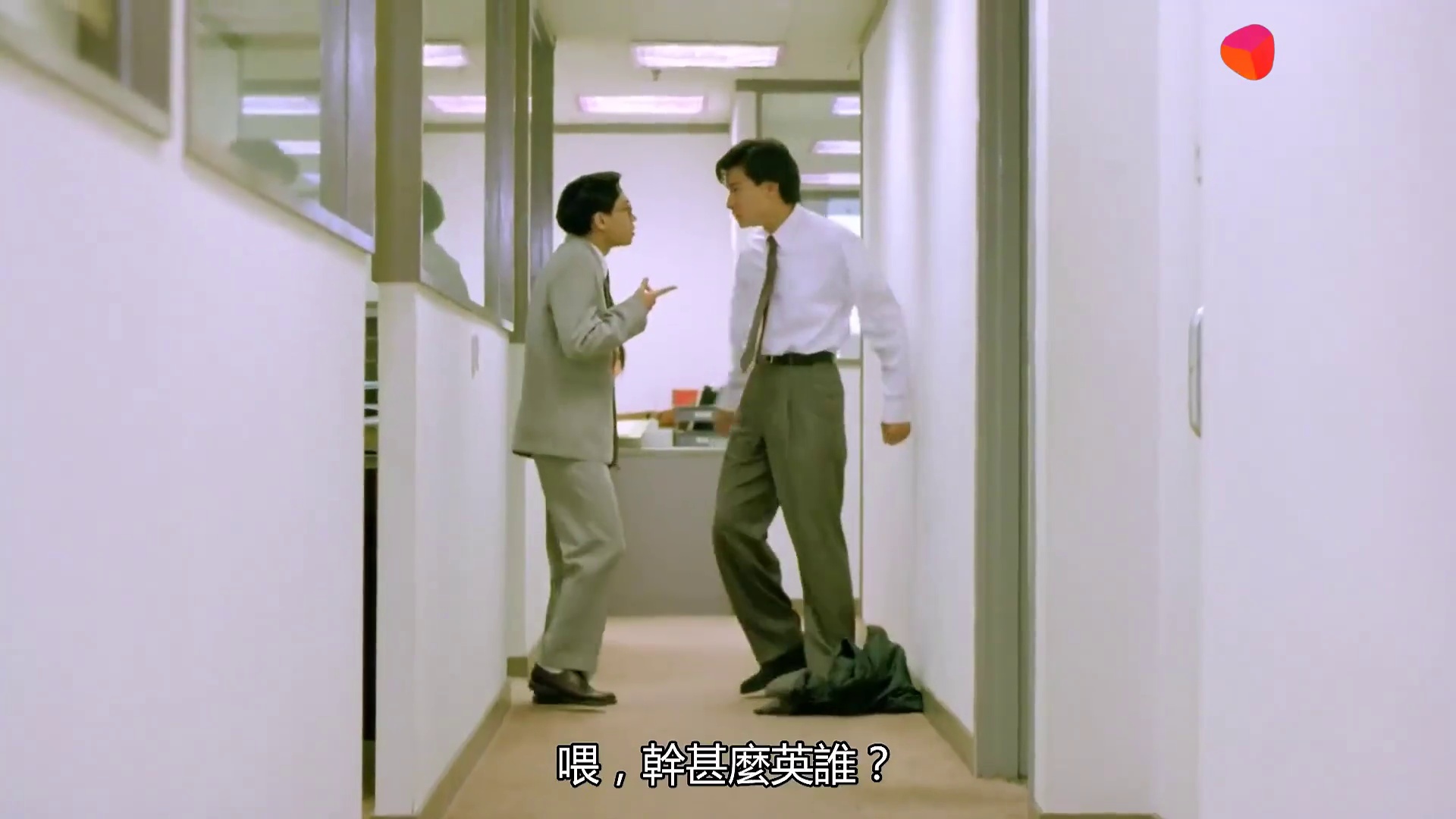
Here we choose a model trained on COCO128 dataset and class labels and pretrained model paths are defined in the yaml file `data/model_paths_520_coco128.yaml`. The original image and processed image are shown below.
Note that if the model was train on custom dataset, you have to modify the yaml file.
If you would like to use ONNX model for inference, you need to add `--onnx` arguments when you execute `inference.py`.
# Evaluation
In this section, we will evaluate our trained model on COCO128 dataset. Execute commands in the folder `yolov5` and the outputs are as following:
```shell
python test.py --weights runs/train/exp/weights/best.pt --verbose
Namespace(augment=False, batch_size=32, conf_thres=0.001, data='data/coco128.yaml', device='cpu', exist_ok=False, img_size=640, iou_thres=0.65, name='exp', project='runs/test', save_conf=False, save_json=False, save_txt=False, single_cls=False, task='val', verbose=True, weights=['runs/train/exp/weights/best.pt'])
Using torch 1.7.0 CPU
Fusing layers...
Model Summary: 164 layers, 6772285 parameters, 0 gradients
***cache_path ../coco128/labels/train2017.cache
Scanning labels ../coco128/labels/train2017.cache (126 found, 0 missing, 2 empty, 0 duplicate, for 128 images): 128it [00:00, 9335.42it/s]
Class Images Targets P R mAP@.5 mAP@.5:.95: 100%|███████████████████████████████████████████████████████████████████████████| 4/4 [01:07<00:00, 16.95s/it]
all 128 929 0.284 0.562 0.492 0.307
person 128 254 0.37 0.764 0.718 0.437
bicycle 128 6 0.373 0.5 0.36 0.217
car 128 46 0.286 0.326 0.275 0.145
motorcycle 128 5 0.433 1 0.962 0.701
airplane 128 6 0.559 0.833 0.824 0.539
bus 128 7 0.412 0.714 0.7 0.588
train 128 3 0.209 0.667 0.552 0.269
truck 128 12 0.452 0.412 0.376 0.135
boat 128 6 0.109 0.333 0.229 0.0458
traffic light 128 14 0.0488 0.0714 0.096 0.0599
stop sign 128 2 0.636 1 0.995 0.747
bench 128 9 0.152 0.222 0.171 0.0814
bird 128 16 0.459 0.562 0.538 0.28
cat 128 4 0.353 1 0.725 0.548
dog 128 9 0.532 0.667 0.632 0.422
horse 128 2 0.31 1 0.995 0.473
elephant 128 17 0.666 0.824 0.84 0.606
bear 128 1 0.323 1 0.995 0.896
zebra 128 4 0.721 1 0.995 0.921
giraffe 128 9 0.459 0.889 0.928 0.551
backpack 128 6 0.291 0.333 0.386 0.193
umbrella 128 18 0.394 0.5 0.458 0.208
handbag 128 19 0.101 0.105 0.112 0.0483
tie 128 7 0.3 0.714 0.6 0.355
suitcase 128 4 0.672 0.5 0.697 0.193
frisbee 128 5 0.315 0.8 0.665 0.416
skis 128 1 0.103 1 0.498 0.0498
snowboard 128 7 0.534 0.821 0.674 0.36
sports ball 128 6 0.165 0.5 0.258 0.155
kite 128 10 0.225 0.2 0.133 0.0334
baseball bat 128 4 0.016 0.052 0.055 0.0275
baseball glove 128 7 0.0989 0.286 0.292 0.146
skateboard 128 5 0.323 0.4 0.376 0.259
tennis racket 128 7 0.105 0.429 0.327 0.164
bottle 128 18 0.202 0.611 0.372 0.214
wine glass 128 16 0.22 0.438 0.397 0.252
cup 128 36 0.297 0.389 0.345 0.206
fork 128 6 0.0841 0.167 0.177 0.135
knife 128 16 0.301 0.5 0.408 0.143
spoon 128 22 0.232 0.273 0.31 0.12
bowl 128 28 0.393 0.714 0.591 0.393
banana 128 1 0.13 1 0.332 0.0332
sandwich 128 2 0.183 0.459 0.115 0.103
orange 128 4 0.096 0.25 0.125 0.0856
broccoli 128 11 0.107 0.0909 0.116 0.0998
carrot 128 24 0.198 0.708 0.409 0.231
hot dog 128 2 0.274 1 0.828 0.746
pizza 128 5 0.588 0.6 0.66 0.473
donut 128 14 0.249 1 0.858 0.66
cake 128 4 0.388 1 0.788 0.547
chair 128 35 0.174 0.6 0.331 0.156
couch 128 6 0.367 0.667 0.678 0.403
potted plant 128 14 0.249 0.571 0.49 0.3
bed 128 3 0.623 0.667 0.677 0.224
dining table 128 13 0.26 0.538 0.449 0.289
toilet 128 2 0.0943 0.5 0.497 0.397
tv 128 2 0.198 1 0.995 0.696
laptop 128 3 0 0 0.0184 0.0111
mouse 128 2 0 0 0 0
remote 128 8 0.339 0.5 0.512 0.33
cell phone 128 8 0.0833 0.125 0.0382 0.0208
microwave 128 3 0.248 1 0.995 0.502
oven 128 5 0.143 0.4 0.336 0.222
sink 128 6 0.106 0.167 0.0876 0.078
refrigerator 128 5 0.35 0.6 0.564 0.403
book 128 29 0.143 0.138 0.139 0.0655
clock 128 9 0.435 0.889 0.848 0.679
vase 128 2 0.0816 1 0.995 0.846
scissors 128 1 0 0 0.0524 0.00524
teddy bear 128 21 0.495 0.514 0.522 0.249
toothbrush 128 5 0.3 0.4 0.44 0.186
Speed: 243.3/124.9/368.3 ms inference/NMS/total per 640x640 image at batch-size 32
Results saved to runs/test/exp
```